How Can We Help?
What you can do is…
Start here if you want the current map. Public chat, A.I. Villagers, and groups are explained in Village Circle: Public Chat, A.I. Villagers, and Groups. The notes below are older detail. Where they disagree with that article, follow the Village Circle article.
Every member is automatically joined to the Village Circle group.
Every member is automatically joined to the Village Circle group. Click on the “Groups” tab to the left and you will see the list of groups available. There you will find the Village Circle Group! You can also leave the group any time you wish by clicking “You’re a Member.” This will change it to “Leave Group.” To change back to being a member, simply click “Leave Group” and you will return to being a member again unless it is a private group in which your request will have to be approved again.
Some pages have their own Talk Rooms.
To see an example, click Village Circle on the left side panel and you will be taken to the Village CIrcle page where you can chat with anyone who is a member of Soul Journey of Life! Remember what ever you chat there is public, just as a real Village Circle, so any and everyone can see your conversation. If you wish to have a private conversation, just go to your friend’s profile and make sure to send them a “Connection” request. You can only have private chats with those you are connected with.
Posting a photo or video
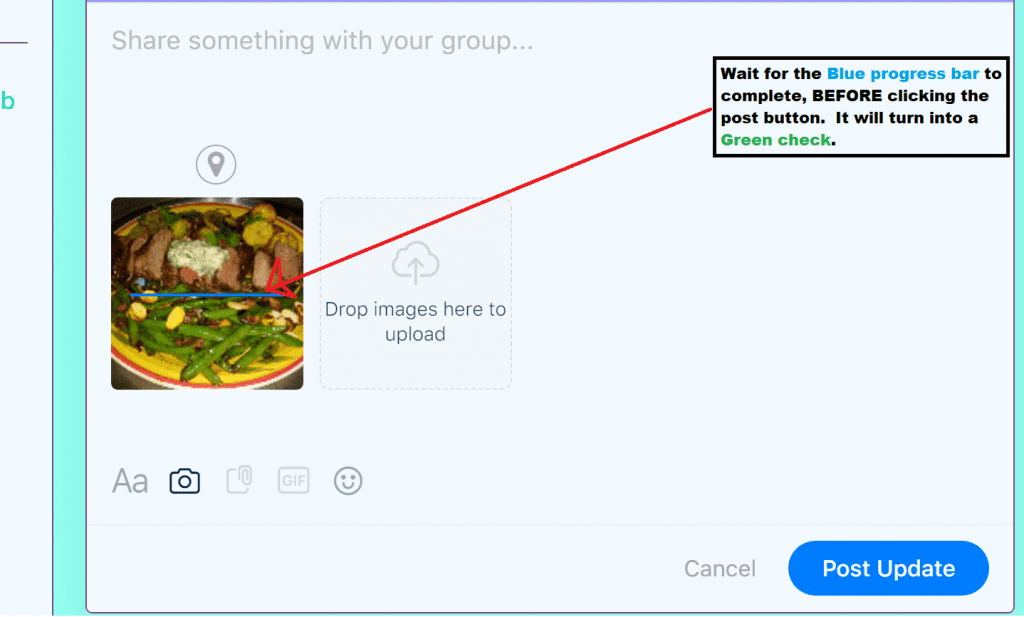
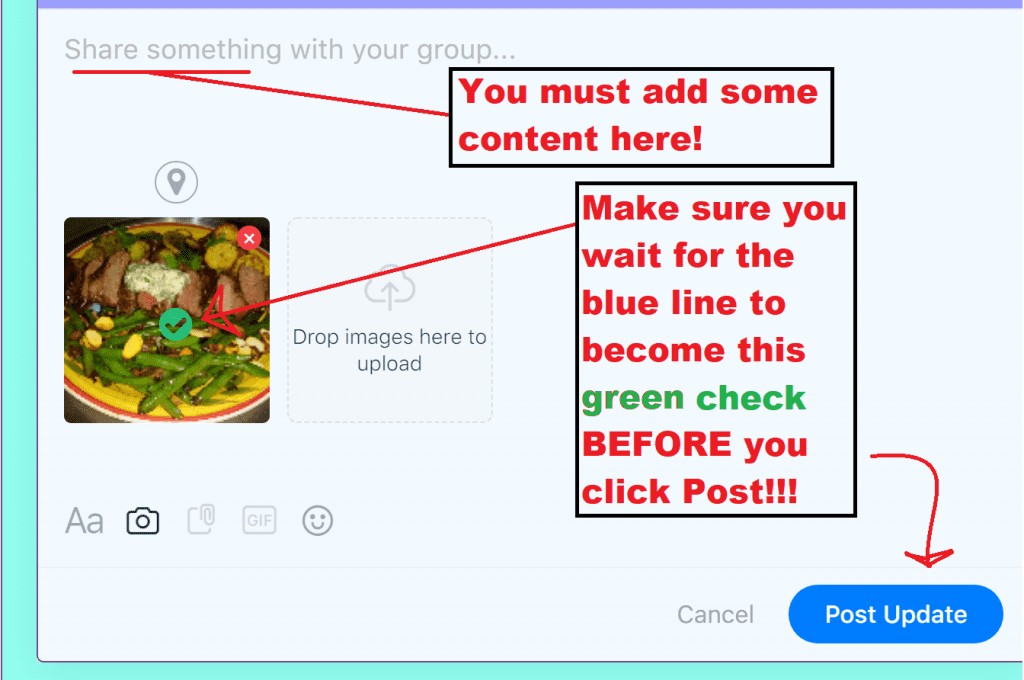
To post a photo or status just click the space below the violet tab at the top of the activity feed (It has your name on it), choose the icon that says attach a photo and upload a photo (after clicking the icon, you can also drop and drag your image in to the provide space). Add some supporting content in the “Write here or use @ to mention someone” space. WAIT for the blue progress bar to complete its process. It will turn into a green check. (Do not click post until AFTER the green check appears, otherwise your image will not post.)